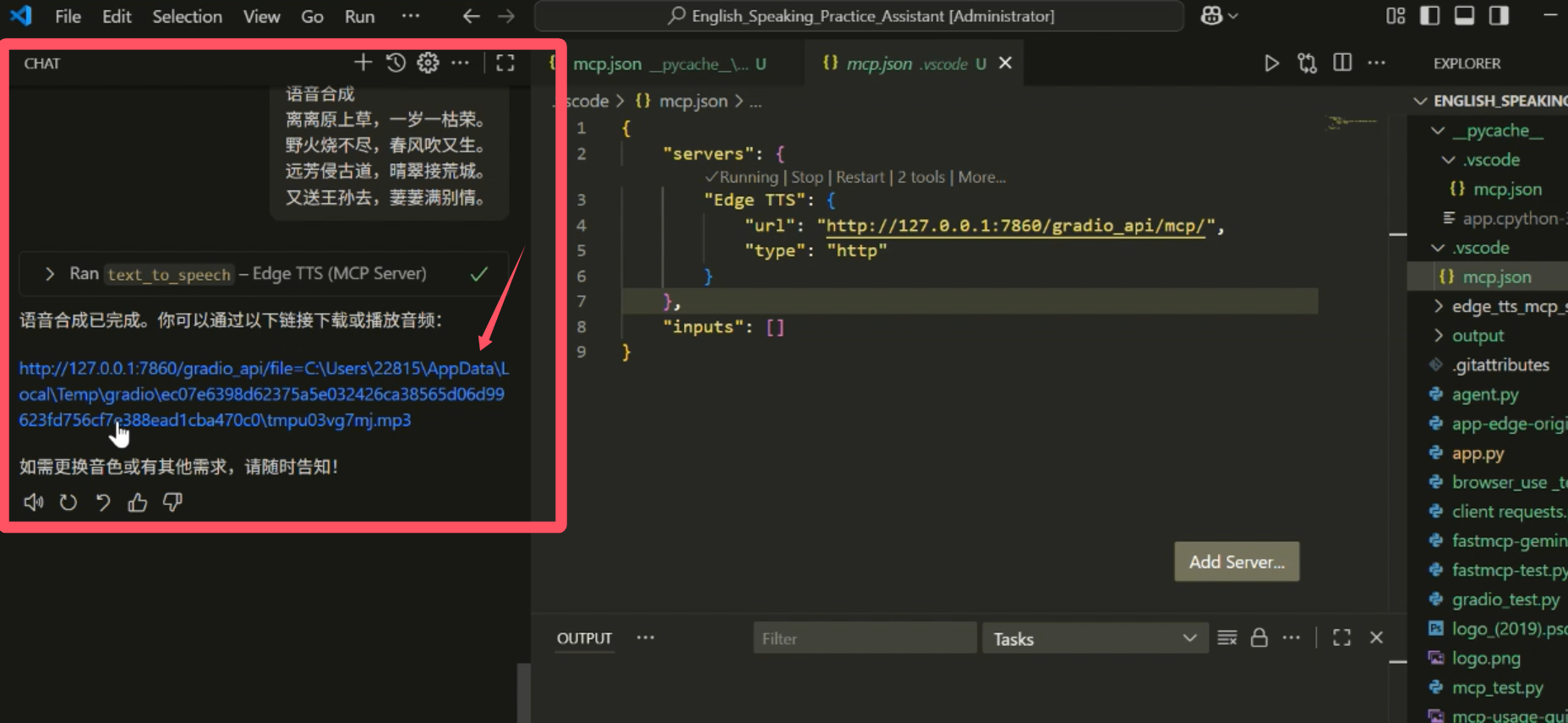
微软线上 Edge TTS & MCP | MCP&Agent挑战赛
MCP 服务配置
复制以下 JSON 到 OPClaw 或其他 MCP 客户端的配置文件中即可使用
{
  "mcpServers": {
    "gradio": {
      "args": [
        "mcp-remote",
        "https://redstoneleo-edge-tts-mcp-server.ms.show/gradio_api/mcp/sse",
        "--transport",
        "sse-only"
      ],
      "command": "npx"
    }
  }
}
可用工具 (2 个)
该服务在 MCP 协议中暴露的工具,AI 可按需调用
list_voices
Fetch available voices from Microsoft Edge TTS. Returns: A dictionary mapping display names, 'Microsoft Server Speech Text to Speech Voice (zh-CN, XiaoxiaoNeural)', 'ShortName': 'zh-CN-XiaoxiaoNeural', 'Gender': 'Female', 'Locale': 'zh-CN', 'SuggestedCodec': 'audio-24khz-48kbitrate-mono-mp3', 'FriendlyName': 'Microsoft Xiaoxiao Online (Natural) - Chinese (Mainland)', 'Status': 'GA', 'VoiceTag': { 'ContentCategories': ['News', 'Novel'], 'VoicePersonalities': ['Warm'] } }
该工具无需必填参数,直接调用即可
text_to_speech 4 个参数
Convert input text to speech using Microsoft Edge TTS. Returns: Path to the generated MP3 file.
该工具无需必填参数,直接调用即可
服务介绍

Microsoft Online Edge TTS & MCP Server
项目简介
使大语言模型(LLM)能够通过免费的 Microsoft Edge TTS 将文本转换为语音的一个模型上下文协议(Model Context Protocol, MCP)服务器。
在线演示
https://modelscope.cn/studios/redstoneleo/Edge-TTS-MCP-Server
可用工具
-
list_voices– 从 Microsoft Edge TTS 获取可用的音色。-
返回 (对象):一个将 显示名称(例如
"en-US-JennyNeural - Female")映射到对应语音元数据的字典,格式如下:json
{
"Name": "Microsoft Server Speech Text to Speech Voice (zh-CN, XiaoxiaoNeural)",
"ShortName": "zh-CN-XiaoxiaoNeural",
"Gender": "Female",
"Locale": "zh-CN",
"SuggestedCodec": "audio-24khz-48kbitrate-mono-mp3",
"FriendlyName": "Microsoft Xiaoxiao Online (Natural) - Chinese (Mainland)",
"Status": "GA",
"VoiceTag": {
"ContentCategories": ["News", "Novel"],
"VoicePersonalities": ["Warm"]
}
}
-
-
text_to_speech– 使用 Microsoft Edge TTS 将输入文本转换为语音音频。text(字符串,必填):需要合成为语音的文本内容。voice(字符串,必填):选择的语音,格式为"ShortName - Gender"。rate(整数,可选):语速调整百分比(例如-20%表示更慢,+20%表示更快)。默认值0表示+0%。pitch(整数,可选):音高调整,单位 Hz。默认值0表示+0Hz。- 返回 (字符串):生成的 MP3 文件的 URL。
示例指令
-
list_voices
- 列出所有可用的语音显示名称
-
text_to_speech
- TTS
<我的文字> - 请用合适的音色TTS
<我的文字>
- TTS
部署指南
-
pip install edge_tts gradio -U -
下载
app.py。 -
运行
python app.py,控制台将显示类似信息:- Running on local URL: http://127.0.0.1:7860
- To create a public link, set
share=Trueinlaunch().
🔨 Launching MCP server:
** Streamable HTTP URL: http://127.0.0.1:7860/gradio_api/mcp/- [Deprecated] SSE URL: http://127.0.0.1:7860/gradio_api/mcp/sse
你可以在本地local URL 或本项目在modelscope的在线版(这是最简单的方式)的页面底部点击 “通过 API 或 MCP 使用” 链接,然后选择 MCP,即可获取可直接复制的配置。
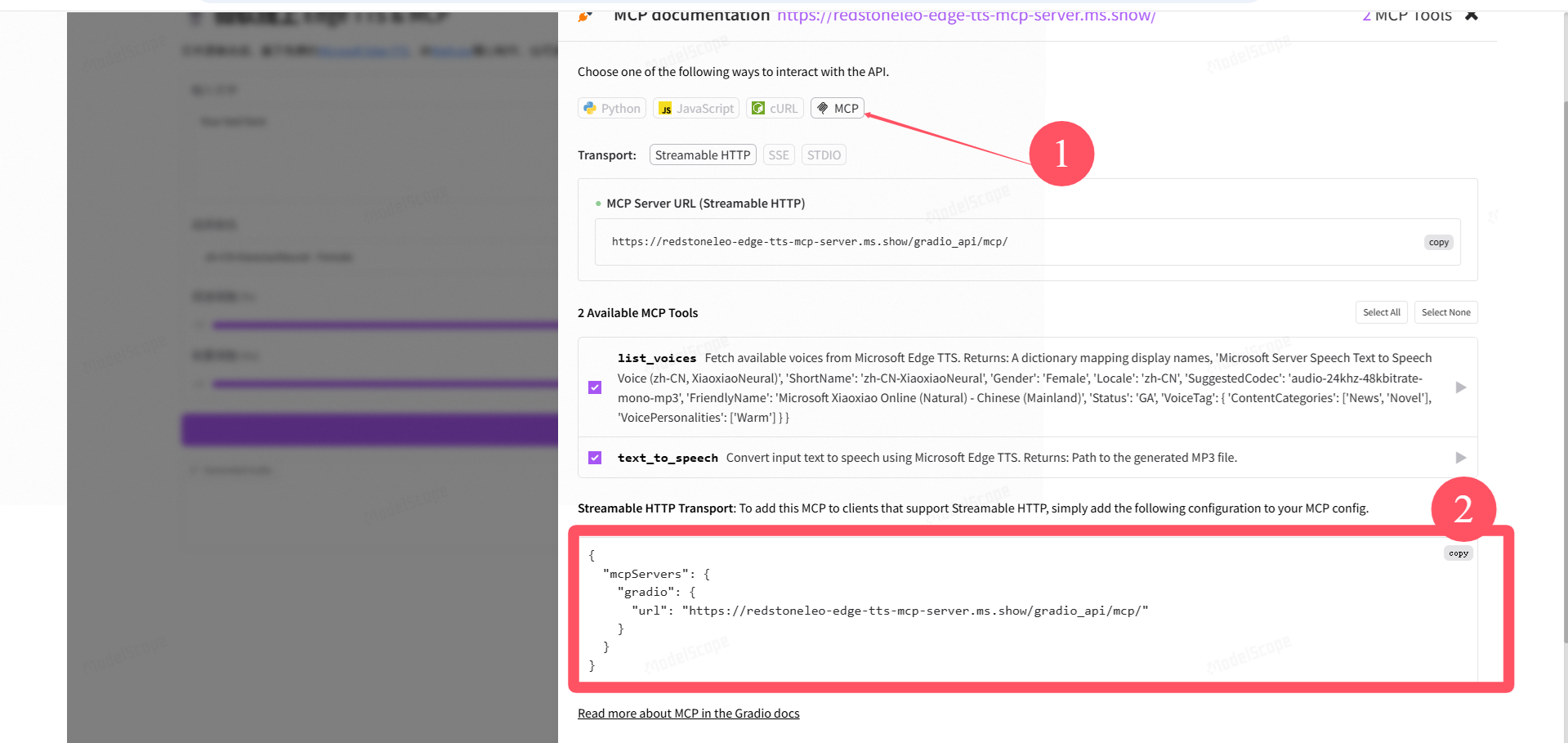
对于支持 SSE 的客户端(如 Cursor、Windsurf、Cline),添加方法如有需要可参考 官方文档。
使用示例
https://www.bilibili.com/video/BV1EahSzYEjX?t=410.5