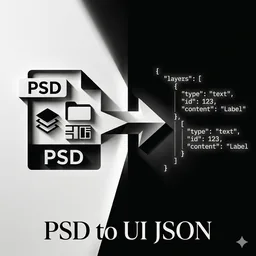
PSD 文件解析
一个强大的PSD(Photoshop文档)到UI JSON转换器,由MCP(模型上下文协议)驱动。它从PSD文件中提取结构化的元数据,并将其转换为语义化、生产就绪的UI组件定义。该工具支持智能图层解析、渐变提取、阴影效果、布局推断、蒙版支持、混合模式和设计令牌收集。
MCP 服务配置
复制以下 JSON 到 OPClaw 或其他 MCP 客户端的配置文件中即可使用
{
  "mcpServers": {
    "psd-converter": {
      "args": [
        "--from",
        "psd-converter",
        "psd-converter-mcp"
      ],
      "command": "uvx"
    }
  }
}
可用工具 (2 个)
该服务在 MCP 协议中暴露的工具,AI 可按需调用
export_psd_images 2 个参数 需填 1 项
导出 PSD 中的图片资源到指定目录。 Args: input_path: PSD 文件的绝对路径 output_assets: 图片资源的输出目录(默认 "assets") Returns: 包含导出结果的字典:成功导出的图片列表、输出目录路径
必填参数:input_path
parse_psd_to_json 3 个参数 需填 1 项
解析 PSD 文件并输出 JSON 结构化数据。 Args: input_path: PSD 文件的绝对路径 output_json: JSON 输出文件路径(默认在当前目录生成 {name}_structure.json) output_assets: 图片资源的输出目录(默认 "assets") Returns: 包含解析结果的字典:JSON 文件路径、设计 tokens 摘要、图层数量统计
必填参数:input_path
服务介绍
PSD UI Converter
A powerful PSD (Photoshop Document) to UI JSON converter powered by MCP (Model Context Protocol). Extracts structured metadata from PSD files and converts them into semantic, production-ready UI component definitions.
Quick Start
Install
uvx --from psd-converter psd-converter-mcp
Claude Code Integration
Add to your ~/.claude/settings.json or project .claude.json:
{
  "mcpServers": {
    "psd-converter": {
      "command": "uvx",
      "args": [
        "--from",
        "psd-converter",
        "psd-converter-mcp"
      ]
    }
  }
}
MCP Tools
This package provides two MCP tools for integration with AI coding assistants:
parse_psd_to_json
Parses a PSD file and outputs structured JSON data.
parse_psd_to_json(
    input_path: str,      # PSD file absolute path (required)
    output_json: str = None,  # JSON output path (optional)
    output_assets: str = "assets"  # Assets directory (default: "assets")
)
Returns:
json_path: Path to the generated JSON fileassets_dir: Path to exported assets directorysummary: Statistics including canvas size, total layers, colors count, font familiessuccess: Boolean indicating success/failure
export_psd_images
Exports image resources from a PSD file to a specified directory.
export_psd_images(
    input_path: str,      # PSD file absolute path (required)
    output_assets: str = "assets"  # Assets directory (default: "assets")
)
Returns:
images: List of exported images with name, path, and layer_idoutput_dir: Path to exported assets directorysuccess: Boolean indicating success/failure
CLI Usage
# Parse PSD and export assets
python -m src.psd_converter.psd_ui_converter -i /path/to/design.psd -oa assets -oj output.json
Arguments
| Argument | Description | Default |
|---|---|---|
-i, --input |
Absolute path to PSD file | Required |
-oa, --output-assets |
Directory for exported image assets | assets |
-oj, --output-json |
Output JSON file path | {name}_structure.json |
Example
python -m src.psd_converter.psd_ui_converter \
  -i /Volumes/Design/limitedTimeOffer.psd \
  -oa ./assets \
  -oj ./output/limitedTimeOffer_structure.json
Features
- Smart layer parsing — Supports text, groups, smart objects, shapes, and pixel layers
- Gradient extraction — Linear, radial, and conic gradients with accurate stop positions
- Shadow effects — Drop shadows and inner shadows with blend modes
- Layout inference — Automatically detects flexbox direction, alignment, and spacing
- Mask support — Clipping masks and layer masks with export capability
- Blend modes — Full support for PSD blend modes (multiply, screen, overlay, etc.)
- Design token collection — Aggregates and normalizes design system values
- MCP integration — Works as MCP tools for AI-assisted workflows
Output Structure
{
  "meta": {
    "canvas": { "w": 1920, "h": 1080 },
    "version": "1.0"
  },
  "designTokens": {
    "colors": { "orange": "rgb(255, 131, 64)", "white": "rgb(255, 255, 255)" },
    "fontSizes": { "title": "32px", "body": "14px" },
    "fontFamilies": ["PingFang SC", "Microsoft YaHei"]
  },
  "layers": [
    {
      "id": 1,
      "name": "Background",
      "type": "group",
      "componentType": "background",
      "zIndex": 100,
      "rect": { "x": 0, "y": 0, "w": 1920, "h": 1080 },
      "layout": {
        "flexDirection": "column",
        "alignItems": "center",
        "justifyContent": "center",
        "gap": 20
      },
      "css": { "background": "linear-gradient(180deg, ...)" },
      "children": [...]
    }
  ]
}
Layer Type Markers
Use these naming conventions in your PSD to guide the parser:
| Marker | Type | Description |
|---|---|---|
@img, @image, @photo, @pic |
image | Export as image asset |
@text, @label, @txt |
text | Text layer |
@btn, @button |
button | Button element |
@icon |
icon | Icon asset |
@card |
card | Card component |
@bg, @background |
background | Background layer |
Smart Object Markers
| Marker | Behavior |
|---|---|
@smart, @so |
Recursively parse nested layers |
Integration
The output JSON integrates with AI-powered frontend code generation. See skills/skills.md for Vue 3 component generation guidelines.
License
MIT




