
dbhub 数据库中枢
@bytebase/dbhub
2 Stars
784 次浏览
bytebase
更新于 2026-08-23
通用数据库 MCP 服务器,可连接到 MySQL、PostgreSQL、SQLite、DuckDB 等。
该服务暂未提供标准配置,请参考 README 手动接入
服务介绍
DBHub 是一个实现 Model Context Protocol (MCP) 服务器接口的通用数据库网关。此网关允许与 MCP 兼容的客户端连接并探索不同的数据库。
 +------------------+    +--------------+    +------------------+
 |                  |    |              |    |                  |
 |                  |    |              |    |                  |
 |  Claude Desktop  +--->+              +--->+    PostgreSQL    |
 |                  |    |              |    |                  |
 |      Cursor      +--->+    DBHub     +--->+    SQL Server    |
 |                  |    |              |    |                  |
 |     Other MCP    +--->+              +--->+     SQLite       |
 |      Clients     |    |              |    |                  |
 |                  |    |              +--->+     MySQL        |
 |                  |    |              |    |                  |
 |                  |    |              +--->+  Other Databases |
 |                  |    |              |    |                  |
 +------------------+    +--------------+    +------------------+
      MCP Clients           MCP Server             Databases
演示 SSE 端点
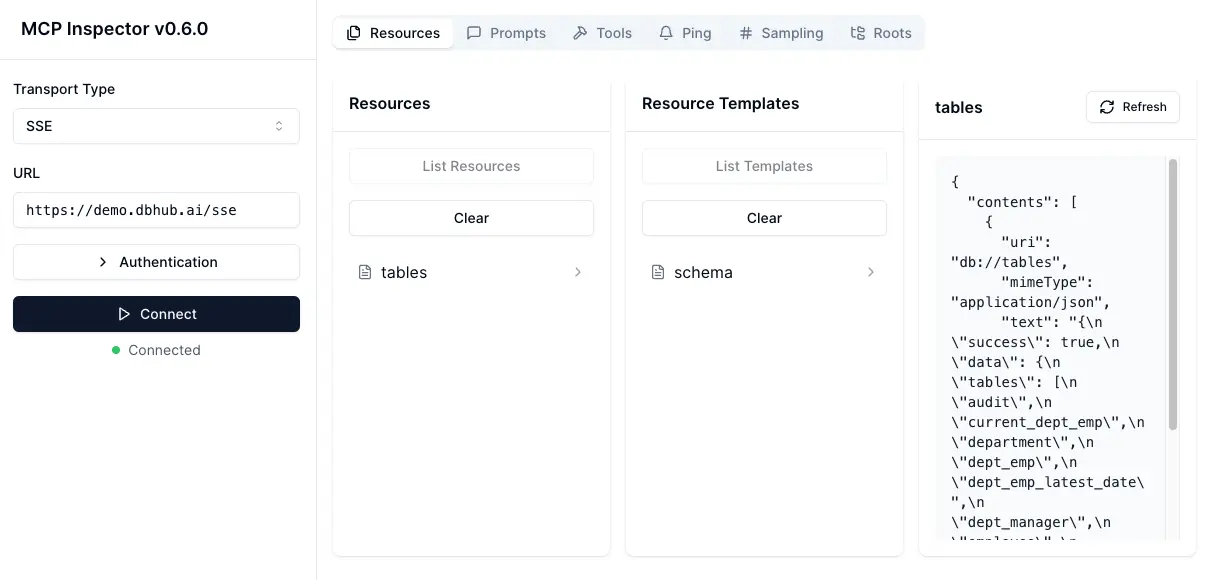
https://demo.dbhub.ai/sse 连接到 示例员工数据库。您可以将 Cursor 或 MCP Inspector 指向它以查看其实际效果。
支持矩阵
数据库资源
| 资源名称 | URI 格式 | PostgreSQL | MySQL | SQL Server | SQLite |
|---|---|---|---|---|---|
| schemas | db://schemas |
✅ | ✅ | ✅ | ✅ |
| tables_in_schema | db://schemas/{schemaName}/tables |
✅ | ✅ | ✅ | ✅ |
| table_structure_in_schema | db://schemas/{schemaName}/tables/{tableName} |
✅ | ✅ | ✅ | ✅ |
| indexes_in_table | db://schemas/{schemaName}/tables/{tableName}/indexes |
✅ | ✅ | ✅ | ✅ |
| procedures_in_schema | db://schemas/{schemaName}/procedures |
✅ | ✅ | ✅ | ❌ |
| procedure_details_in_schema | db://schemas/{schemaName}/procedures/{procedureName} |
✅ | ✅ | ✅ | ❌ |
数据库工具
| 工具 | 命令名称 | PostgreSQL | MySQL | SQL Server | SQLite |
|---|---|---|---|---|---|
| 执行查询 | run_query |
✅ | ✅ | ✅ | ✅ |
| 列出连接器 | list_connectors |
✅ | ✅ | ✅ | ✅ |
提示功能
| 提示 | 命令名称 | PostgreSQL | MySQL | SQL Server | SQLite |
|---|---|---|---|---|---|
| 生成 SQL | generate_sql |
✅ | ✅ | ✅ | ✅ |
| 解释数据库元素 | explain_db |
✅ | ✅ | ✅ | ✅ |
安装
Docker
# PostgreSQL example
docker run --rm --init \
   --name dbhub \
   --publish 8080:8080 \
   bytebase/dbhub \
   --transport sse \
   --port 8080 \
   --dsn "postgres://user:password@localhost:5432/dbname?sslmode=disable"
# Demo mode with sample employee database
docker run --rm --init \
   --name dbhub \
   --publish 8080:8080 \
   bytebase/dbhub \
   --transport sse \
   --port 8080 \
   --demo
NPM
# PostgreSQL example
npx @bytebase/dbhub --transport sse --port 8080 --dsn "postgres://user:password@localhost:5432/dbname"
# Demo mode with sample employee database
npx @bytebase/dbhub --transport sse --port 8080 --demo
注意:演示模式包括一个捆绑的 SQLite 示例“employee”数据库,其中包含员工、部门、薪资等表。
Claude Desktop
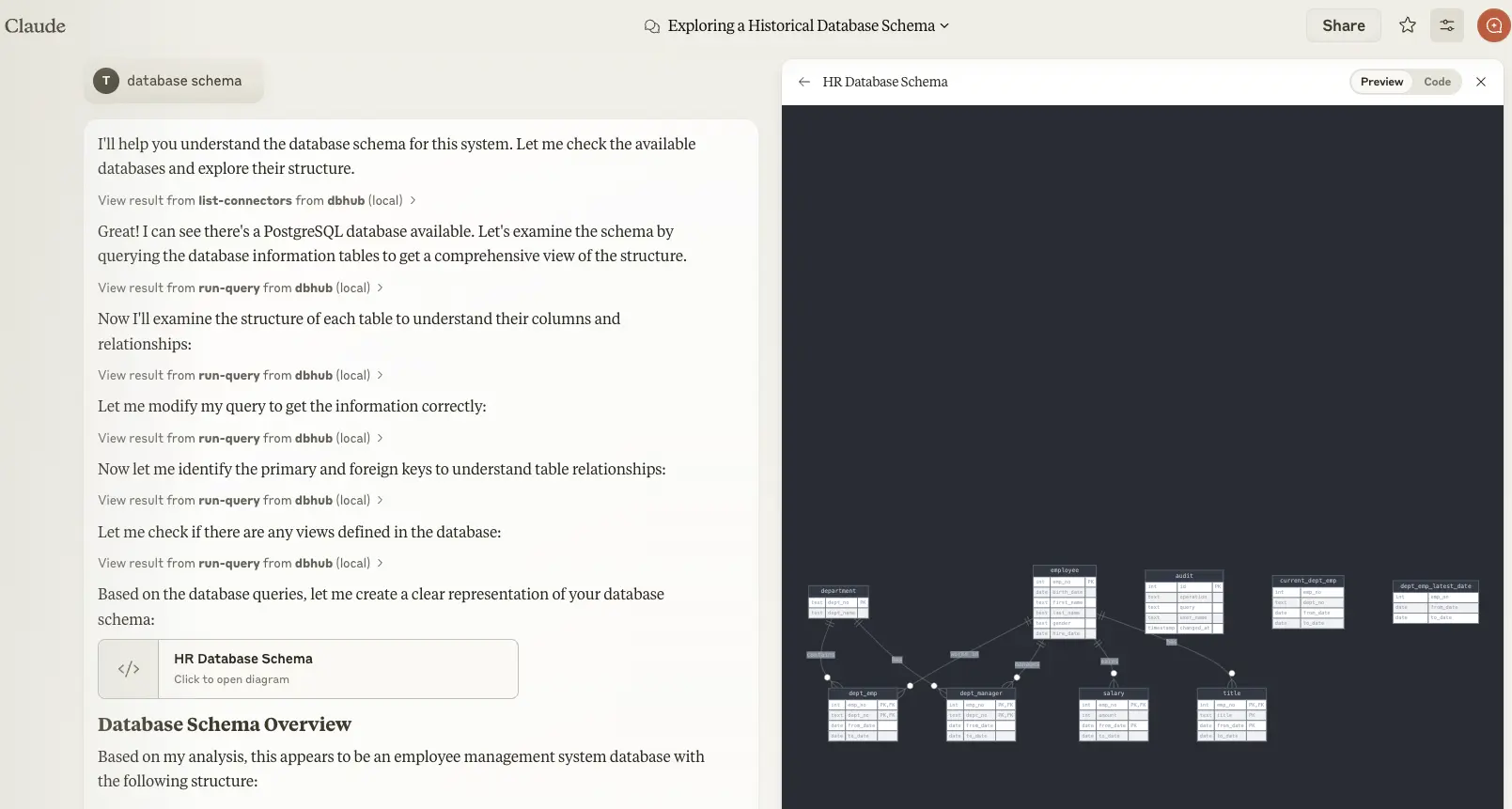
- Claude Desktop 仅支持
stdio传输 https://github.com/orgs/modelcontextprotocol/discussions/16
// claude_desktop_config.json
{
  "mcpServers": {
    "dbhub-postgres-docker": {
      "command": "docker",
      "args": [
        "run",
        "-i",
        "--rm",
        "bytebase/dbhub",
        "--transport",
        "stdio",
        "--dsn",
        // Use host.docker.internal as the host if connecting to the local db
        "postgres://user:password@host.docker.internal:5432/dbname?sslmode=disable"
      ]
    },
    "dbhub-postgres-npx": {
      "command": "npx",
      "args": [
        "-y",
        "@bytebase/dbhub",
        "--transport",
        "stdio",
        "--dsn",
        "postgres://user:password@localhost:5432/dbname?sslmode=disable"
      ]
    },
    "dbhub-demo": {
      "command": "npx",
      "args": ["-y", "@bytebase/dbhub", "--transport", "stdio", "--demo"]
    }
  }
}
Cursor
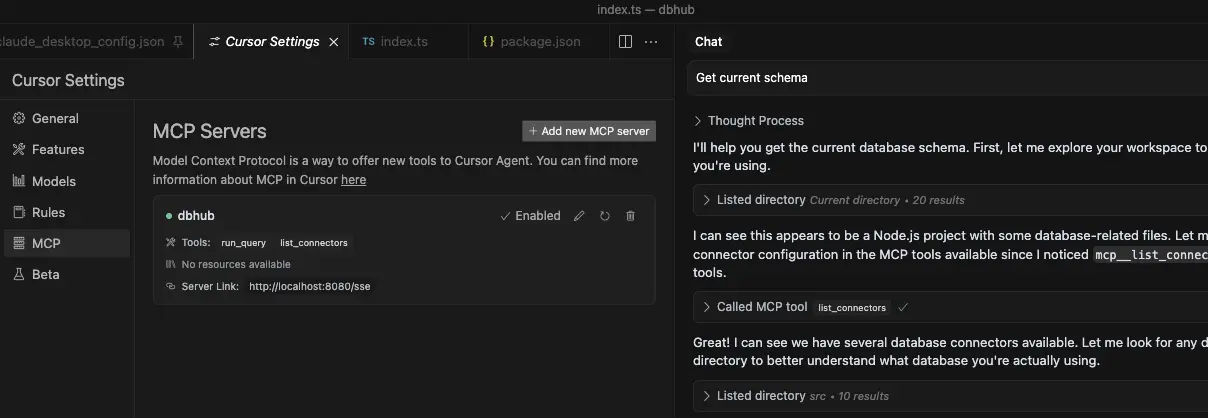
- Cursor 支持
stdio和sse两种模式。 - 请参考 Cursor MCP 指南 并确保使用 Agent 模式。
使用方法
配置数据库连接
您可以使用示例员工数据库在演示模式下测试 DBHub:
npx @bytebase/dbhub --demo
对于实际的数据库,需要提供一个数据库源名称(DSN)。您可以通过以下几种方式提供 DSN:
-
命令行参数(优先级最高):
npx @bytebase/dbhub --dsn "postgres://user:password@localhost:5432/dbname?sslmode=disable" -
环境变量(优先级次之):
export DSN="postgres://user:password@localhost:5432/dbname?sslmode=disable" npx @bytebase/dbhub -
环境文件(优先级最低):
- 开发环境:创建
.env.local文件并写入您的 DSN - 生产环境:创建
.env文件并写入您的 DSN
DSN=postgres://user:password@localhost:5432/dbname?sslmode=disable - 开发环境:创建
[!WARNING]
在 Docker 中运行时,请使用host.docker.internal替换localhost来连接到主机上运行的数据库。例如:mysql://user:password@host.docker.internal:3306/dbname
DBHub 支持以下数据库连接字符串格式:
| 数据库 | DSN 格式 | 示例 |
|---|---|---|
| PostgreSQL | postgres://[user]:[password]@[host]:[port]/[database] |
postgres://user:password@localhost:5432/dbname?sslmode=disable |
| SQLite | sqlite:///[path/to/file] 或 sqlite::memory: |
sqlite:///path/to/database.db 或 sqlite::memory: |
| SQL Server | sqlserver://[user]:[password]@[host]:[port]/[database] |
sqlserver://user:password@localhost:1433/dbname |
| MySQL | mysql://[user]:[password]@[host]:[port]/[database] |
mysql://user:password@localhost:3306/dbname |
传输方式
-
stdio(默认)- 用于直接与 Claude Desktop 等工具集成:
npx @bytebase/dbhub --transport stdio --dsn "postgres://user:password@localhost:5432/dbname?sslmode=disable" -
sse - 用于浏览器和网络客户端:
npx @bytebase/dbhub --transport sse --port 5678 --dsn "postgres://user:password@localhost:5432/dbname?sslmode=disable"
命令行选项
| 选项 | 描述 | 默认值 |
|---|---|---|
| demo | 使用示例员工数据库运行在演示模式下 | false |
| dsn | 数据库连接字符串 | 如果不在演示模式下则必需 |
| transport | 传输模式: stdio 或 sse |
stdio |
| port | HTTP 服务器端口 (仅当使用 --transport=sse 时适用) |
8080 |
演示模式使用了一个内存中的 SQLite 数据库,其中加载了示例员工数据库,该数据库包括员工、部门、职位、薪资、部门员工和部门经理的表。示例数据库还包括用于创建表、加载数据和测试的 SQL 脚本。
开发
-
安装依赖项:
pnpm install -
在开发模式下运行:
pnpm dev -
构建生产版本:
pnpm build
pnpm start --transport stdio --dsn "postgres://user:password@localhost:5432/dbname?sslmode=disable"
使用 MCP Inspector 进行调试
stdio
# PostgreSQL example
TRANSPORT=stdio DSN="postgres://user:password@localhost:5432/dbname?sslmode=disable" npx @modelcontextprotocol/inspector node /path/to/dbhub/dist/index.js
SSE
# Start DBHub with SSE transport
pnpm dev --transport=sse --port=8080

# Start the MCP Inspector in another terminal
npx @modelcontextprotocol/inspector
连接到 DBHub 服务器 /sse 端点




